
FlowOS
Brief-driven workflow management that adapts to how teams actually work.
Fragmented Tools, Fractured Focus
Watching teams toggle between Slack, Jira, email, and file storage revealed a clear pattern: constant context switching was breaking both focus and momentum. The problem wasn't a lack of tools — it was too many disconnected ones. This led to the core hypothesis: what if workflow software organized around briefs rather than isolated tasks?
Thoughtful Onboarding
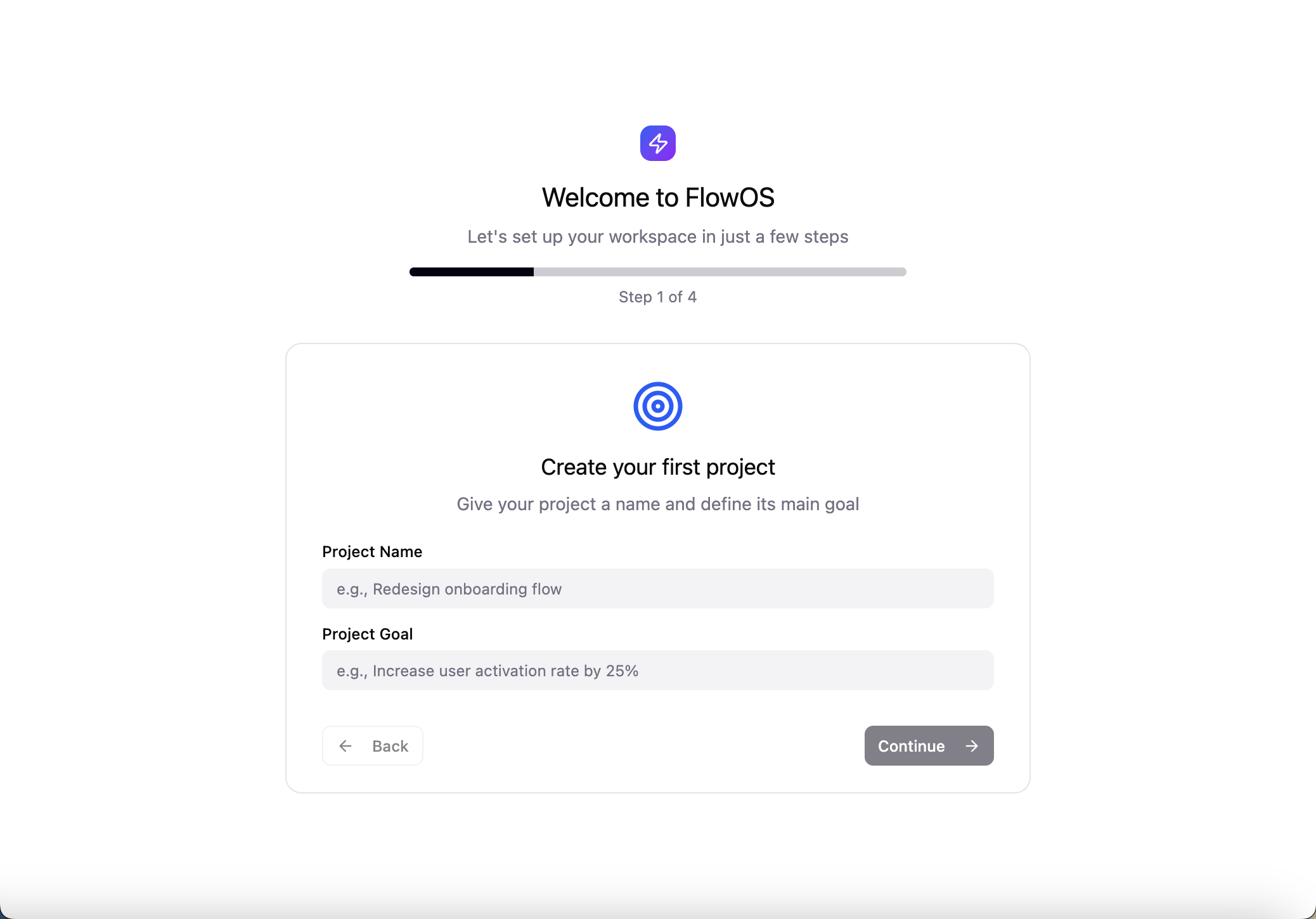
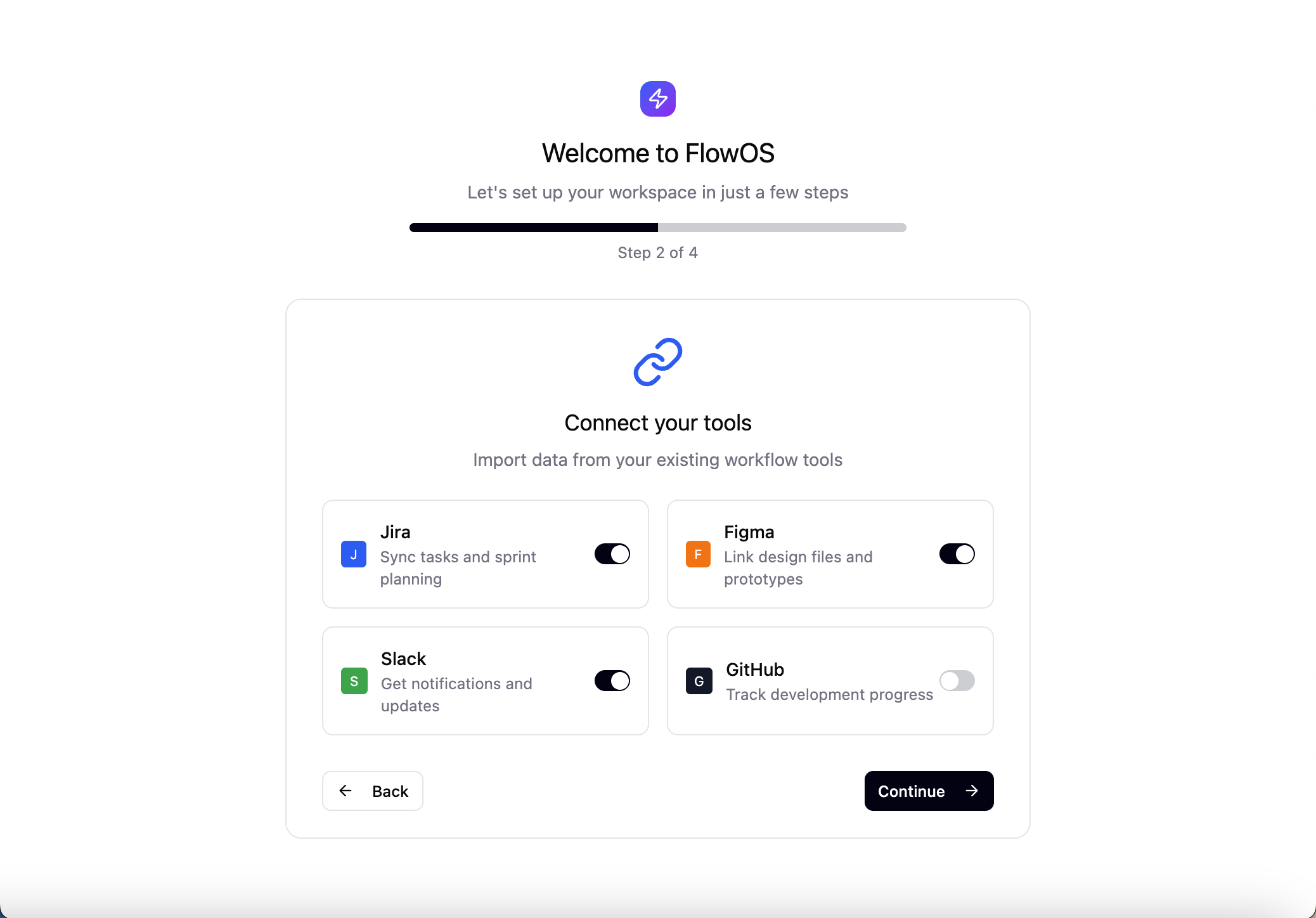
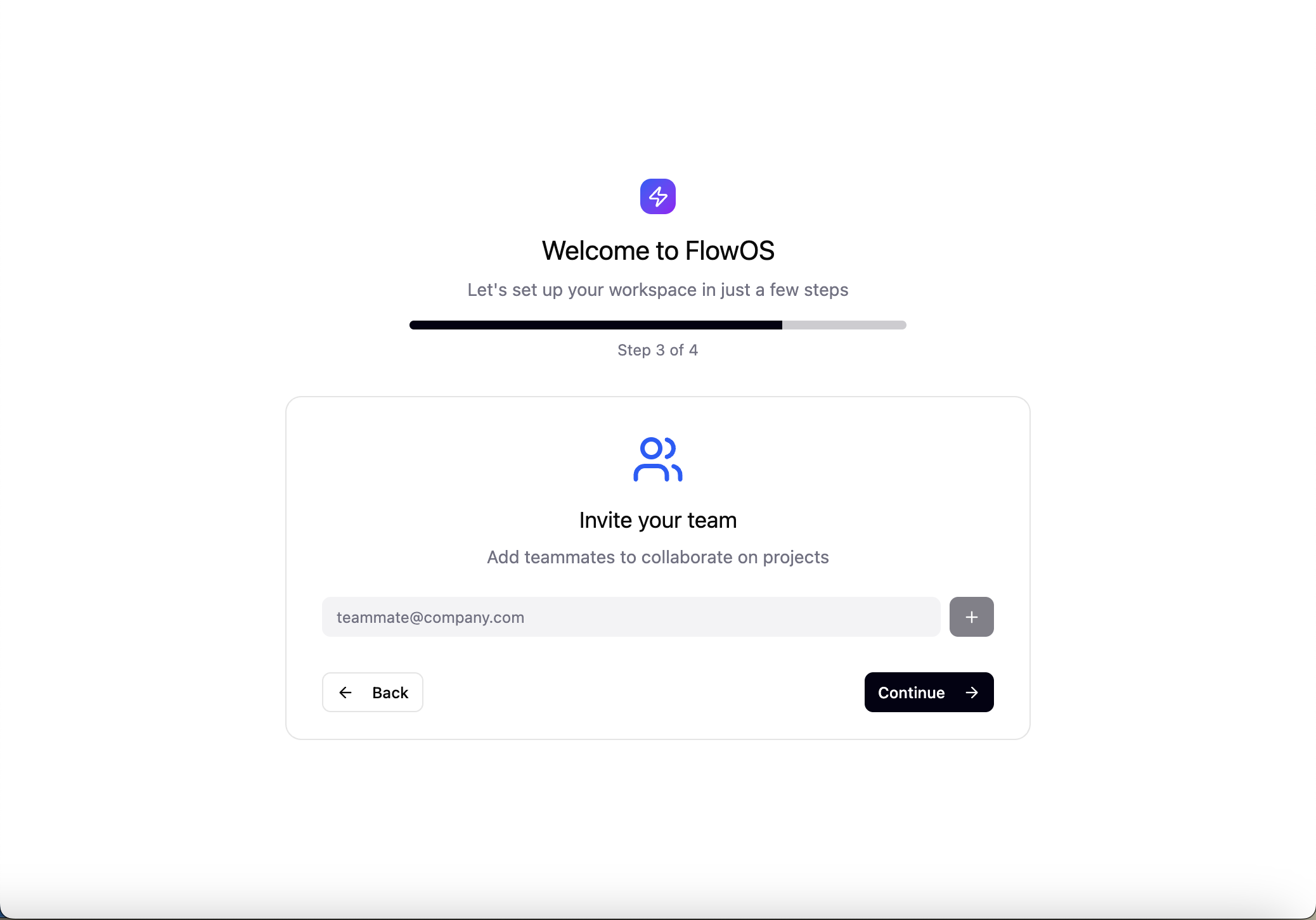
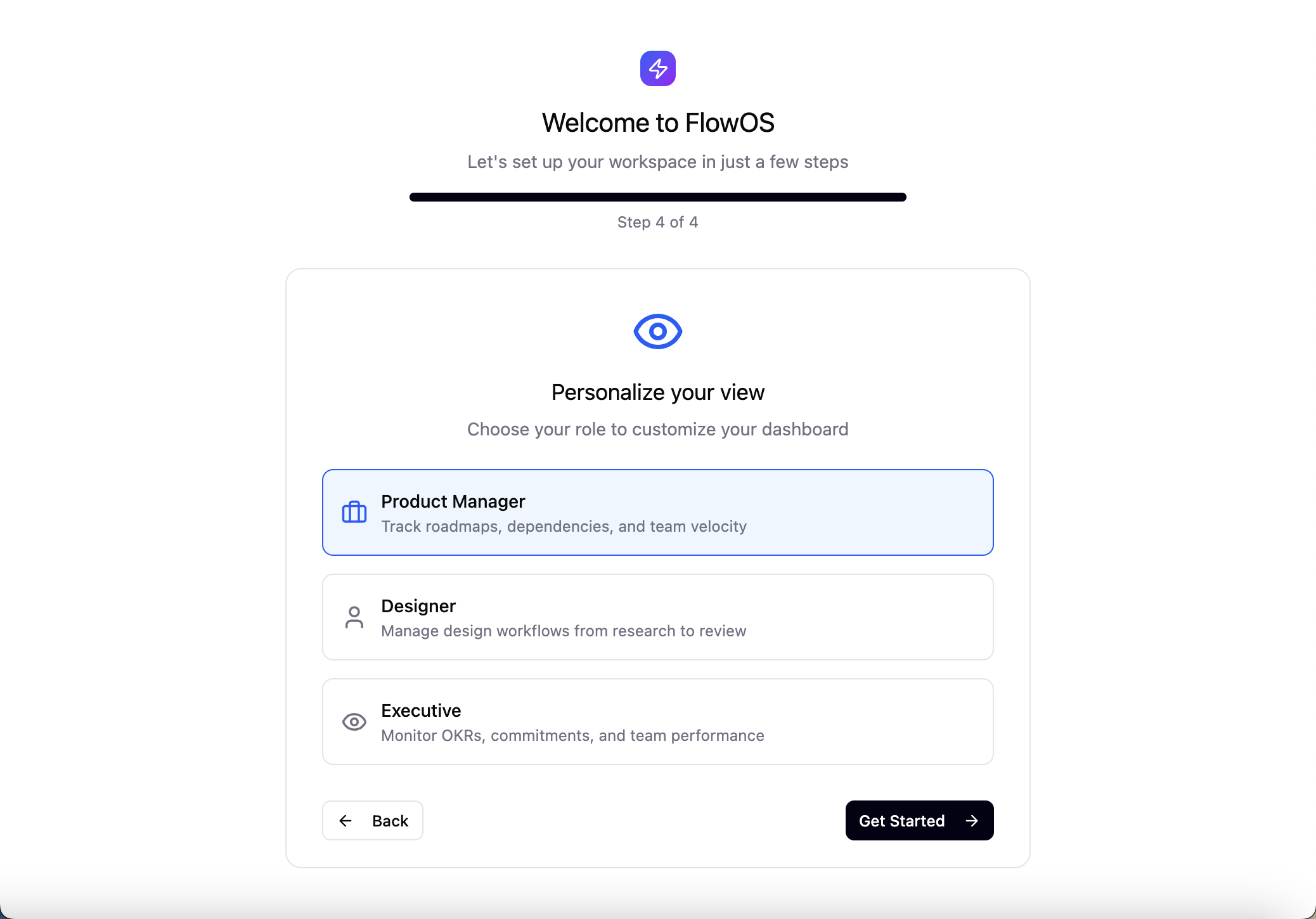
The setup flow establishes team structure and workflow preferences upfront, reducing configuration friction later.
Briefs as Foundation
Projects don't exist as floating tasks — they need context, constraints, and shared understanding. Building the system around briefs as living documents creates a central reference point that holds requirements, resources, progress, and team alignment together.
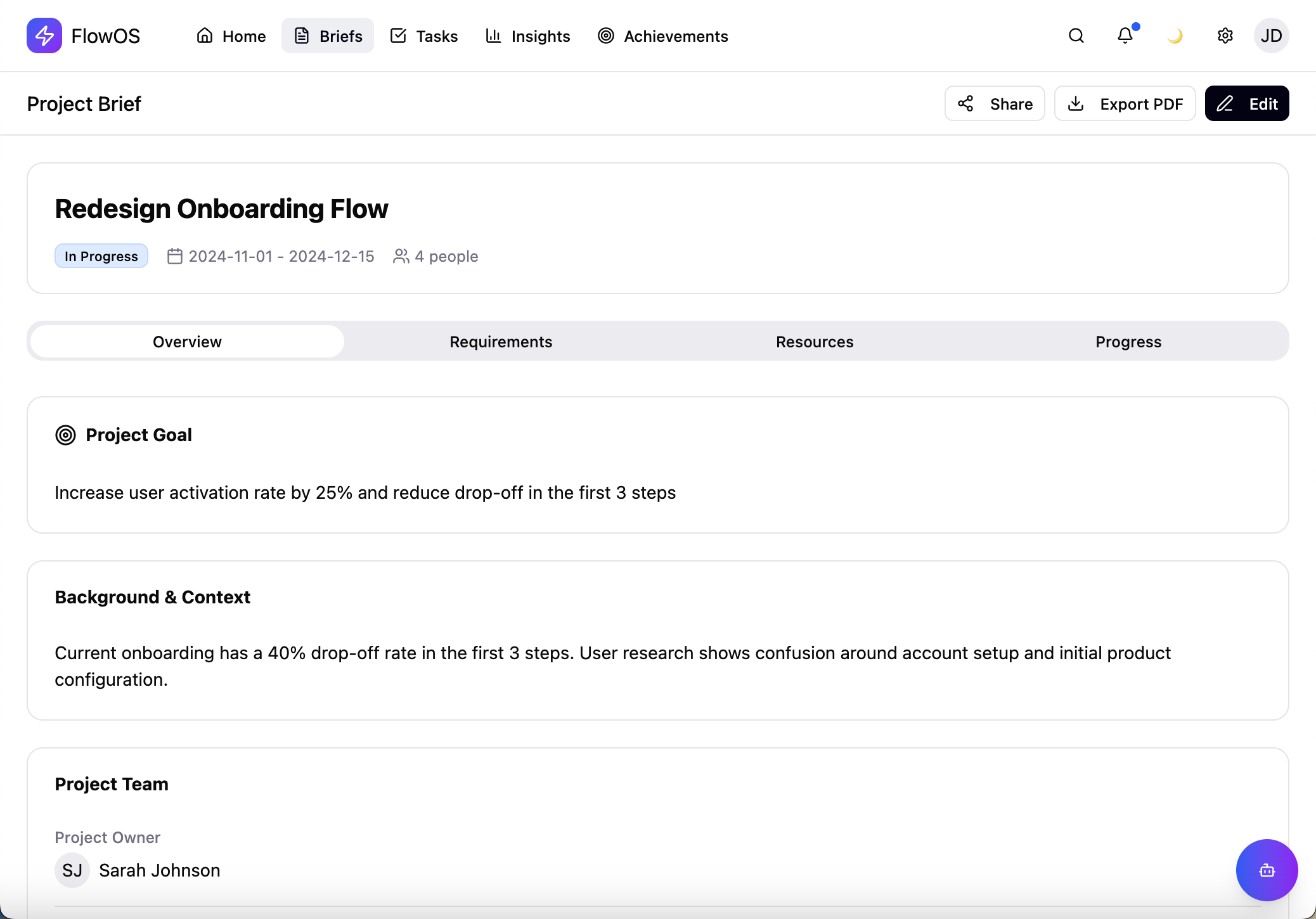
Brief Overview
Complete context at a glance — objective, timeline, team, and deliverables.
Eliminating Context Switching
Bringing tasks, notifications, briefs, and resources into a single interface directly addresses the fragmentation problem. This design choice allows users to maintain their train of thought — reducing the mental cost of rebuilding context after each tool switch.
Task cards connect directly to their parent briefs. Priority, deadlines, and effort estimates are shown clearly rather than buried in metadata, supporting faster decisions.
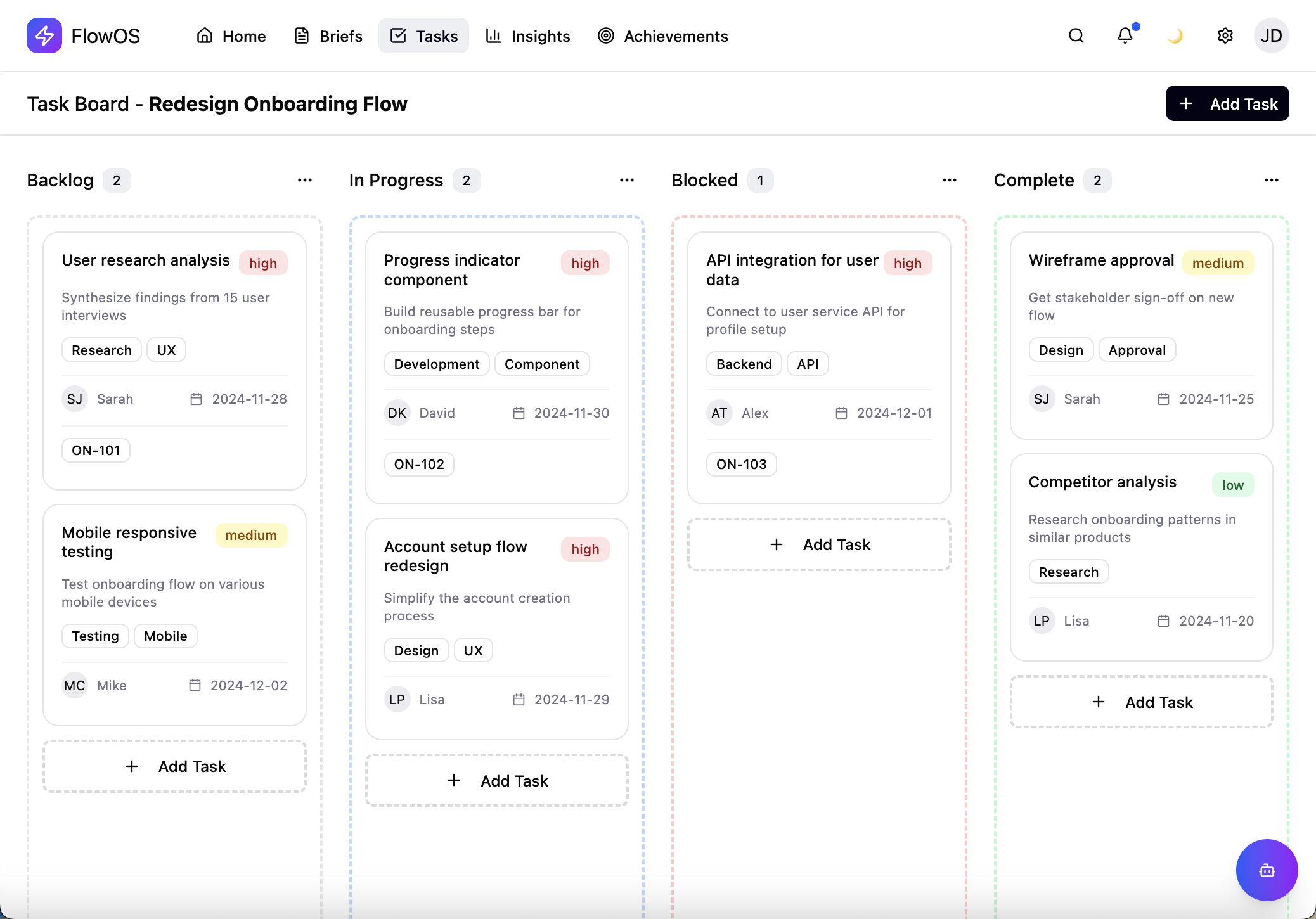
Intelligence Layer
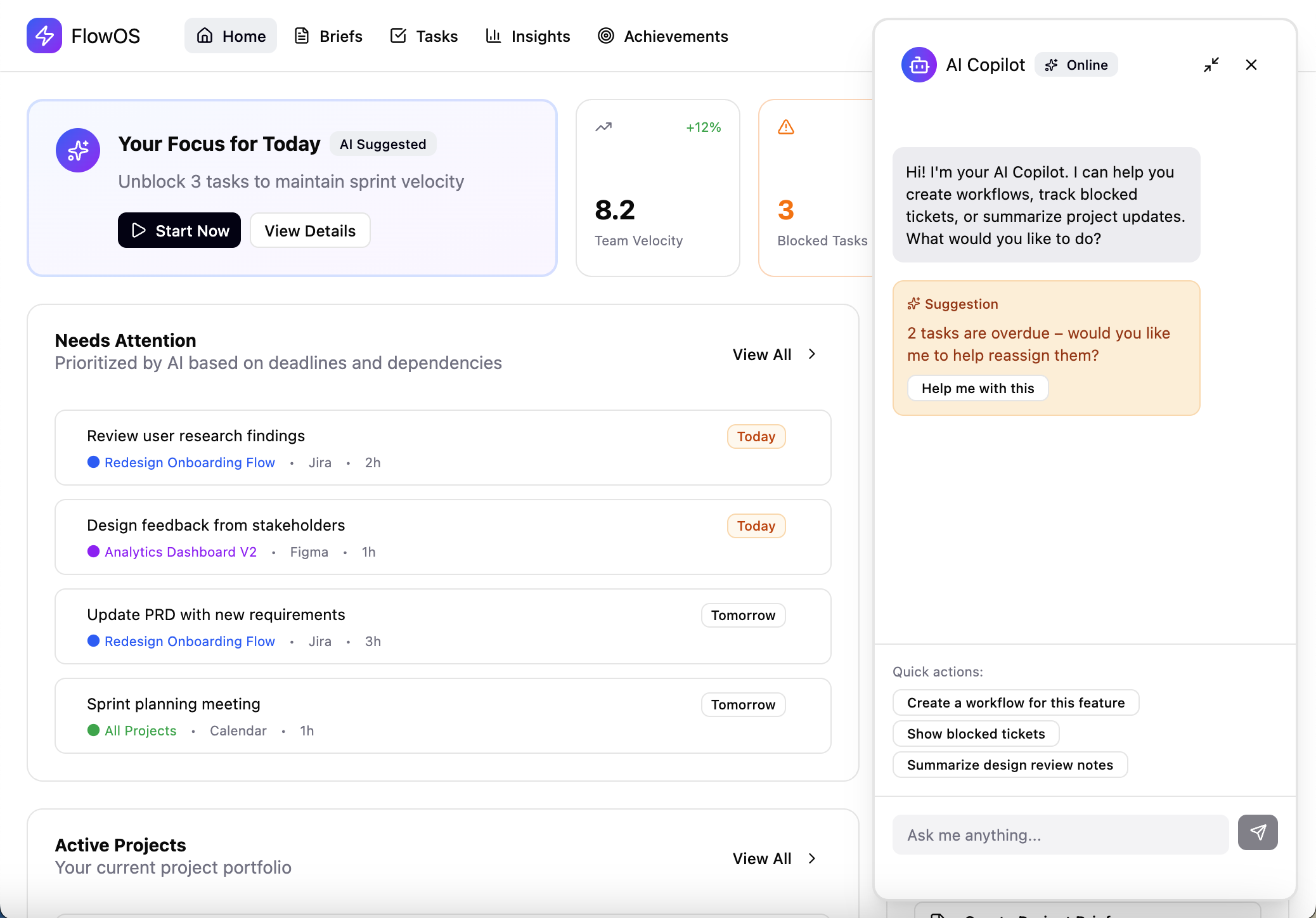
AI-Powered Suggestions — Context-aware recommendations for task prioritization and resource allocation
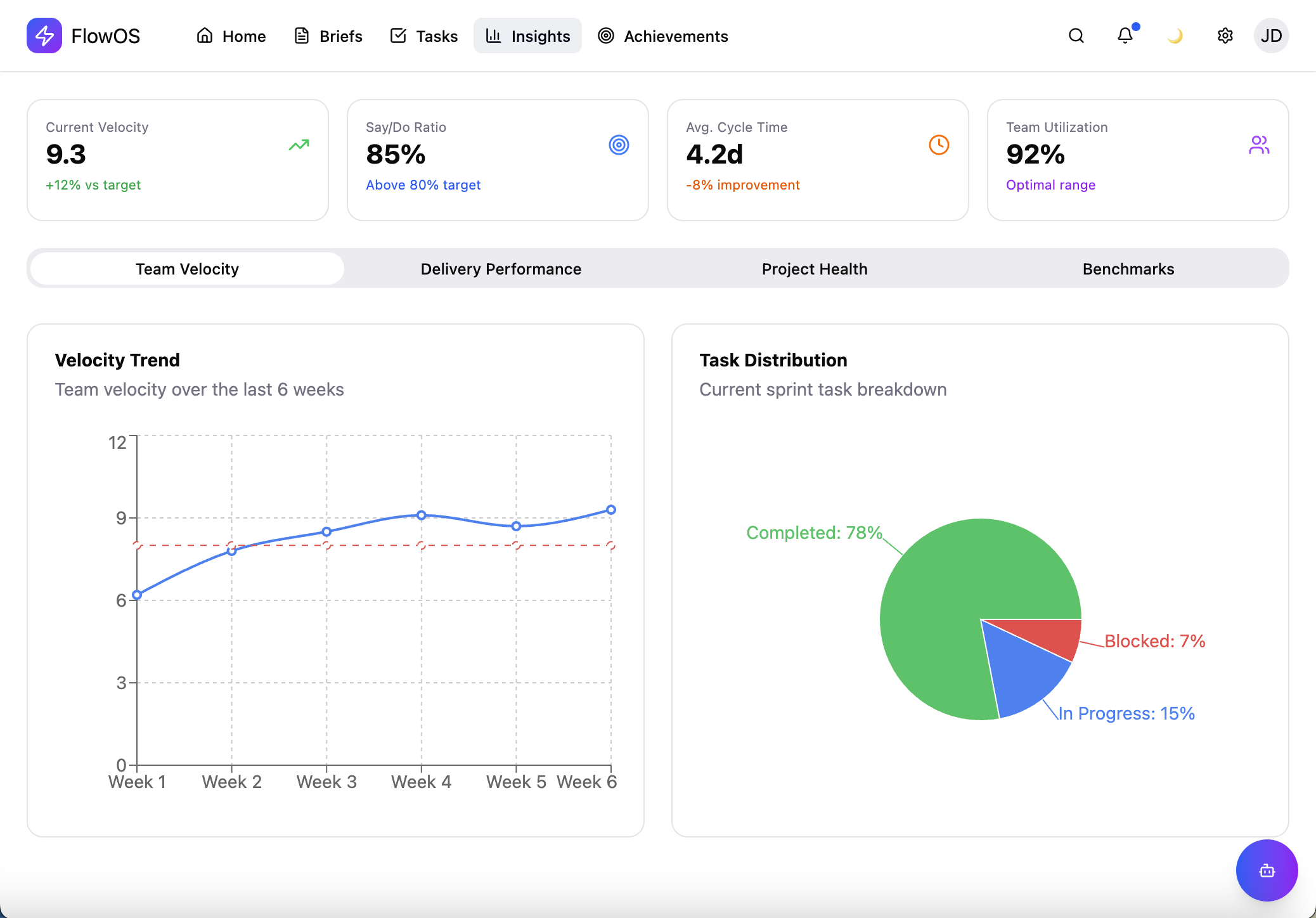
Actionable Insights — Data-driven visibility into team velocity, bottlenecks, and project health
Behavioral Reinforcement
Achievements were designed as meaningful recognition — not arbitrary points. Each one highlights specific behaviors that strengthen team dynamics: consistent collaboration, quality delivery, and milestone completion. This makes positive patterns visible rather than just tracking output.
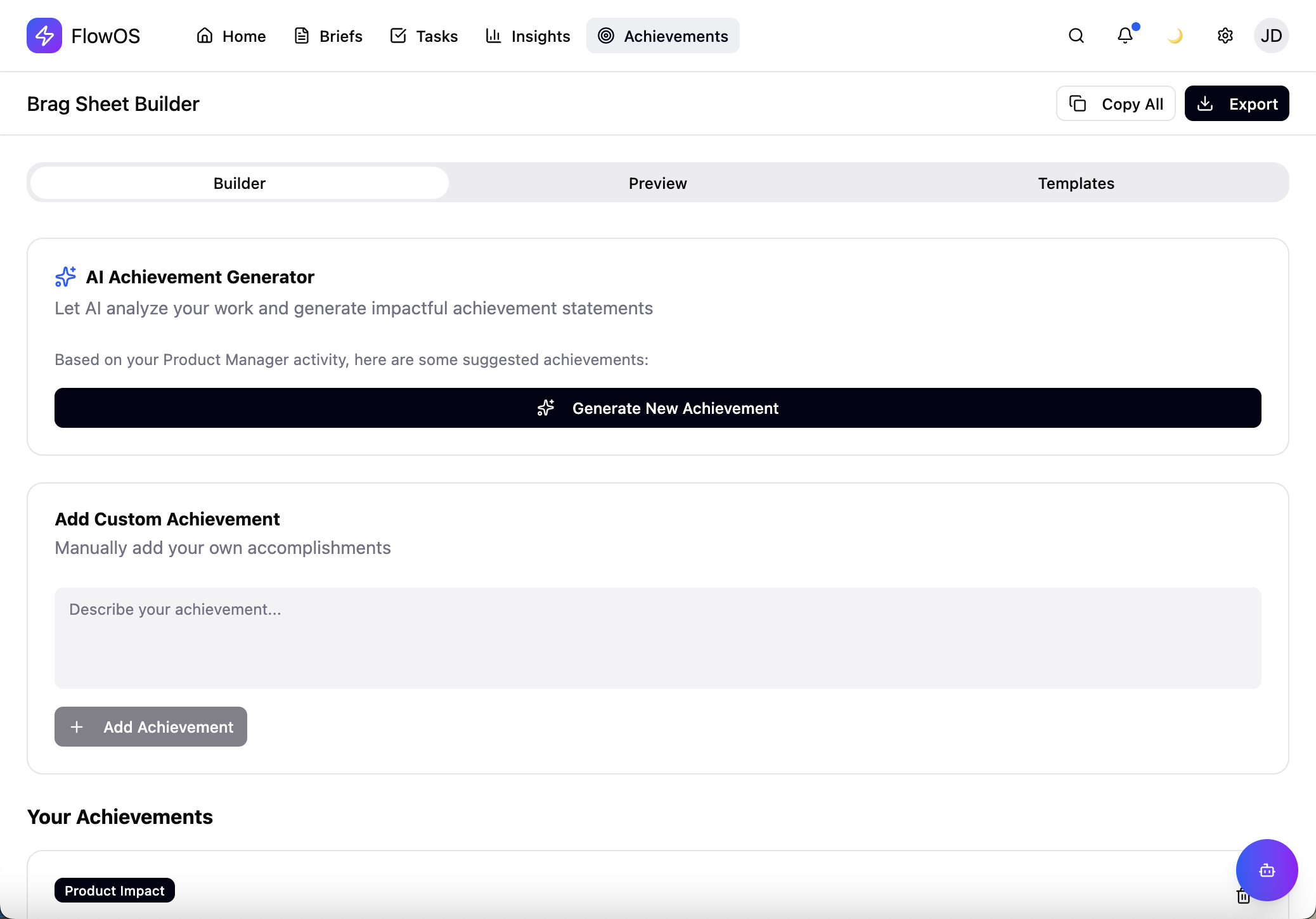
Achievement Builder
Customizable achievements that align with team values and goals.
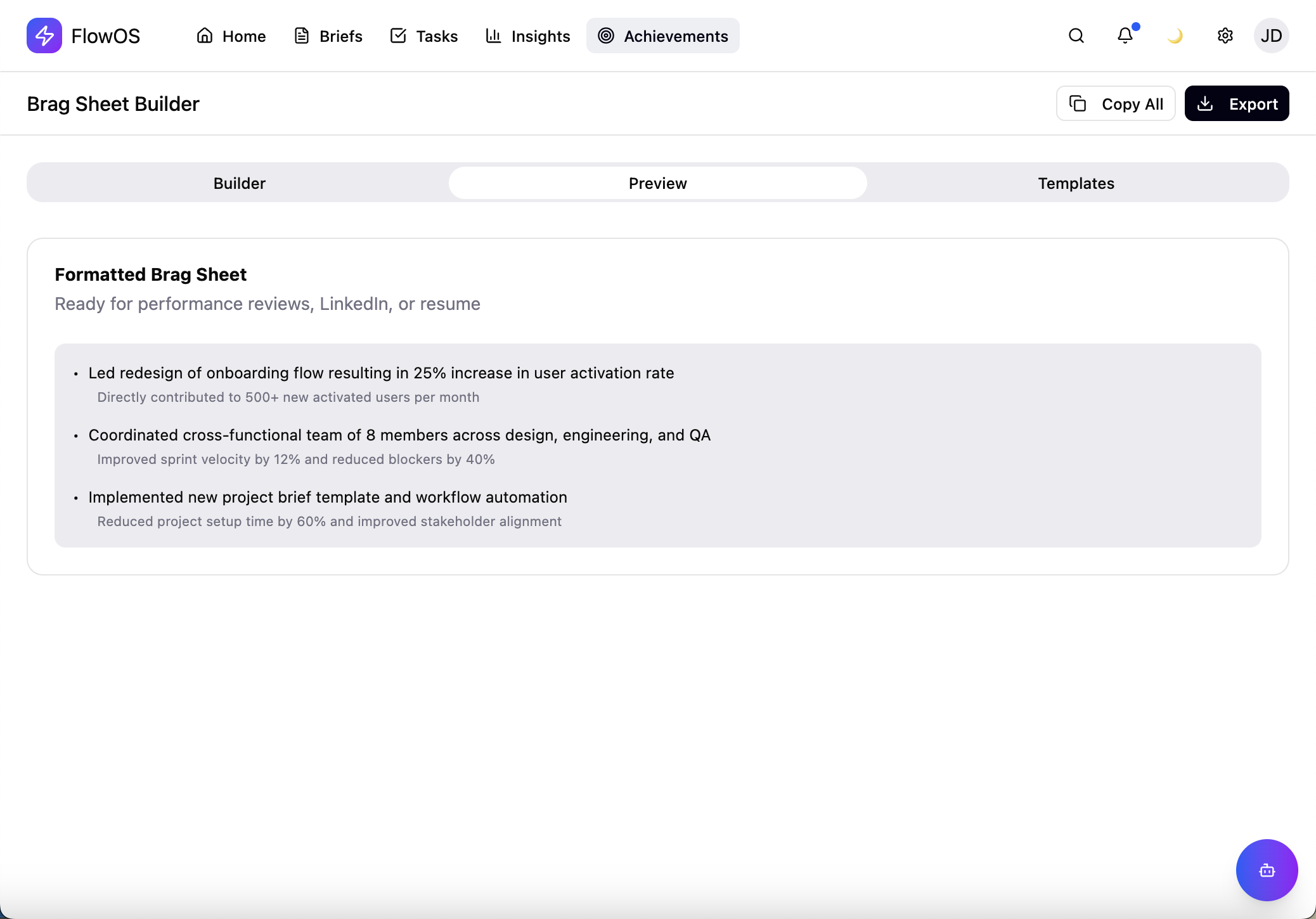
Earned Moments
Delightful recognition that reinforces positive team behaviors.
What Drove the Design
Single-Interface Architecture
User research identified context switching as the main productivity barrier. Bringing tasks, briefs, notifications, and resources into one interface removes the mental overhead of tool fragmentation — allowing users to stay focused on their work rather than managing software.
Brief-Centric Organization
Task lists alone lack context. By making briefs the structural foundation, the system mirrors how teams actually think about work — as projects with goals, constraints, and shared understanding, not just disconnected to-dos.
Progressive Disclosure
Each view balances information density with clarity. Dashboards show summaries, briefs provide depth, tasks reveal details. This layered approach prevents information overload while keeping critical details accessible.
Intentional Visual Hierarchy
Typography weight, spacing, and color choices guide attention deliberately. High-priority items stand out visually while supporting details recede — enabling quick scanning without losing important information.
Strategic Recognition System
Rather than generic gamification, achievements highlight specific behaviors that improve team health: collaboration frequency, delivery consistency, quality standards. This reinforces positive patterns and makes otherwise invisible contributions tangible.
Systems Over Features
This project reinforced a key truth: effective product design prioritizes system coherence over feature accumulation. By building around briefs and eliminating context switching, FlowOS shows that solving structural problems creates more value than adding capabilities.
The design decisions — from progressive disclosure to strategic recognition — all come from understanding how teams actually work rather than imposing idealized workflows. That alignment between design intent and user reality is what makes the system feel intuitive from the start.